


Ibotta: Save & Earn Cash Back
4.5205.97K Reviews
App Specs
- Version
- 6.350.0
- Updated On
- License
- Free
- Downloads
- 10,000,000+
- Developer
- Ibotta
- Categories
- Shopping
- Platform
- Android, iOS
Screenshots
 Analysis by AppCompare
I judge a cash-back app by what it asks me to do between deciding to buy something and seeing a reward appear. Ibotta: Save & Earn Cash Back is most useful when I treat it as part of a shopping routine, not as a reason to buy extra things. It is a free shopping app from Ibotta, and its basic appeal is easy to understand: check for offers before a trip, shop as planned, then complete the steps needed to receive cash back.
Start with the shopping list, not the offers
My best advice is to make the list first and open the app second. That small order matters. If I browse offers before deciding what I need, a discount can make an unplanned item feel like a saving, even though I have spent money I would otherwise have kept. I get more value by checking whether offers match groceries or household goods already on my list.
That makes the app a better fit for people who shop regularly and are willing to spend a few minutes preparing. It is less compelling if you shop infrequently, buy whatever is cheapest without regard to brands or stores, or do not want to keep track of offer requirements. Cash back can soften the cost of a purchase, but it does not automatically make the purchase worthwhile.
A practical trip from offer to reward
For a typical grocery run, I would first browse offers and note the ones that fit the planned basket. I would then check the conditions carefully: an offer may apply to a particular product rather than an entire category, so a similar-looking item is not necessarily eligible. This is the point where a quick pause can prevent disappointment later. I would avoid changing my shopping list just to chase an offer unless I genuinely wanted the product anyway.
After shopping, the next step depends on how the purchase was made. For an in-store trip, the workflow can involve uploading a receipt; for online shopping, the app describes linking an account. These are different handoffs, and neither should be treated as an instant guarantee that every item will qualify. I find it sensible to keep the receipt until the purchase has been checked and to look over the selected offers before submitting anything.
The app is designed to make offer browsing and tracking approachable, and I can see why its store reputation is strong: it has a 4.5 average from around 717,000 ratings, with more than 10 million installs. Those figures do not tell me whether a particular offer will match my basket, though. The useful test is whether the offers I can actually use fit my ordinary shopping habits.
Where it differs from familiar ways to save
Compared with a paper coupon routine, Ibotta gathers offers in one place and can be easier to check before leaving home. Compared with a retailer’s own loyalty program, it is focused on cash back across shopping rather than only on that store’s member pricing. Those approaches can complement one another, but they are not interchangeable: store discounts may reduce the bill at checkout, while cash-back offers involve a later verification step.
Worth Reading Before You Choose

Flipboard Shows What News Apps Must Do Beyond the Feed

Switching to Android Auto Means Rethinking Your Driving Routine

Google Calendar Makes a Crowded Week Easier to Manage

Ludo King Makes the Most of the Minutes Between Plans

Baby Panda World Brings Quick Play to Modern Phones, but Its Game Library Feels Busy

ESPN’s Live Game View Makes Following Close Games Easier
I would not replace a simple price comparison with an offer hunt. If another shop has a lower shelf price, that difference can matter more than a cash-back offer attached to a product elsewhere. I also would not assume that every purchase earns something. The strongest use is selective: compare the final cost, choose the option that suits the budget, and count a reward only after it has been credited.
Small habits that reduce friction
One useful habit is to check offers while making the list, then stop browsing once the relevant choices are clear. That limits impulse buying and makes the shop faster. Another is to keep online and in-store purchases mentally separate while following the app’s instructions for each, so I do not expect a receipt-upload step to work the same way as an account-linked purchase.
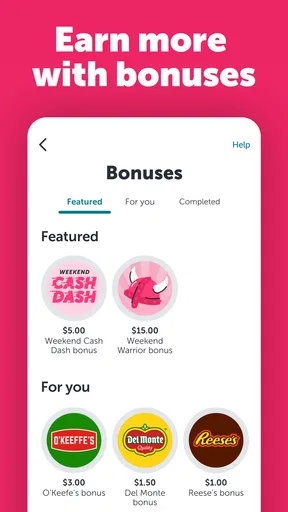
I would also treat bonuses as optional extras rather than targets. A task or promotion is only a genuine benefit if it fits shopping I was already going to do. Inviting friends or joining a team may add a social angle, but it should not become the reason to spend more or to share the app with someone who is not interested. The same rule applies to loyalty-card linking: convenience is worthwhile when it matches a store I use, not simply because an option exists.
First Impressions
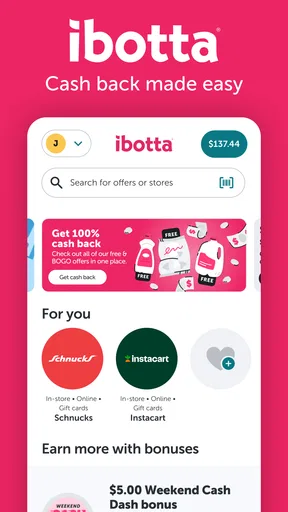
When I first downloaded Ibotta, I was immediately struck by its user-friendly interface. The app's layout is pretty straightforward, which makes navigation a breeze. You’re greeted with a clean and modern design that guides you through the process of finding deals, earning cash back, and eventually cashing out. It's like having your own personal shopping assistant right in your pocket.
How It Works
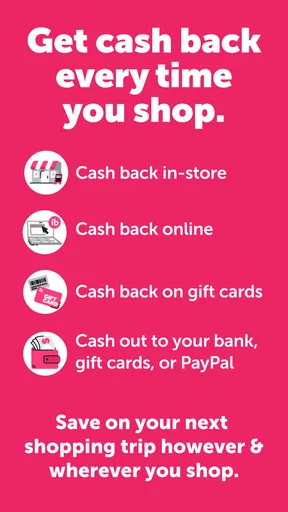
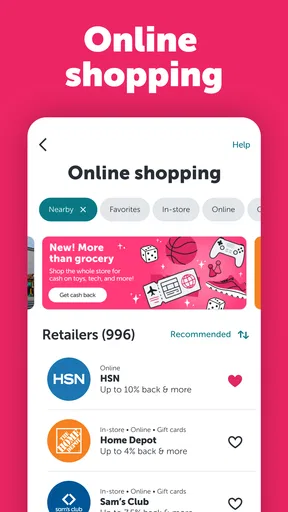
So, how does Ibotta actually work? The app partners with a wide variety of retailers, both in-store and online, to offer you cash back on your purchases. Here’s the basic rundown:
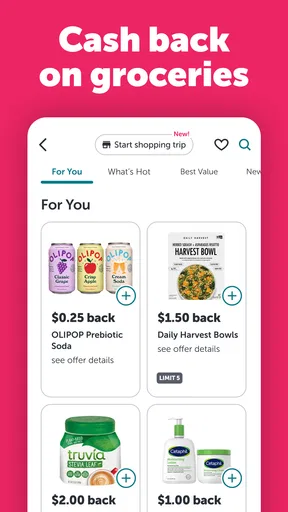
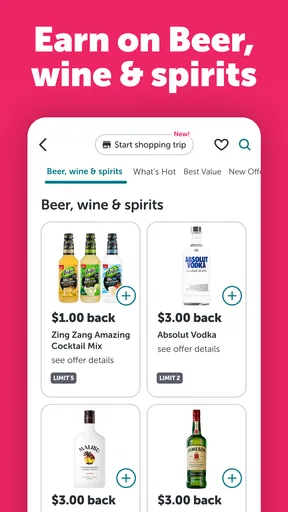
- Browse Offers: Before you shop, check out the available cash back deals. You can search by category, retailer, or even specific products.
- Shop: Purchase the items as you normally would, either online or in-store.
- Verify: For in-store purchases, you’ll need to upload your receipt through the app. For online shopping, simply link your account.
- Get Cash Back: Once your purchase is verified, cash back is added to your Ibotta account.
It’s a pretty slick system that turns everyday shopping into a rewarding experience. Plus, the app is compatible with major retailers like Walmart, Target, and Amazon, among many others.
Cash Out and Rewards
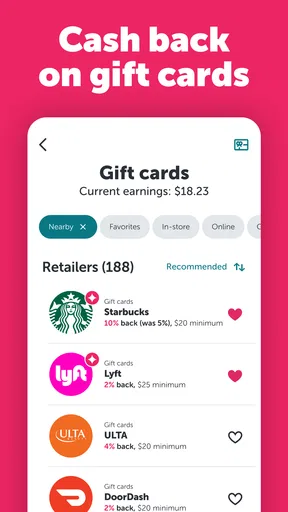
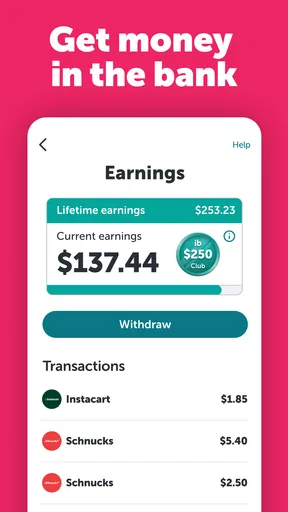
One of the highlights of using Ibotta is the cash-out feature. After you’ve accumulated a minimum of $20 in cash back, you can withdraw your earnings through PayPal, or you can opt for gift cards from popular retailers. It’s a bit like hitting the jackpot every time you shop, and who doesn’t love that?
Special Features
Beyond the basic cash back offers, Ibotta also has some cool features that are worth mentioning:
- Bonuses: The app frequently runs bonus promotions, which can significantly boost your earnings. These bonuses range from signing up friends to completing specific shopping tasks.
- Loyalty Card Linking: You can link your store loyalty cards directly to the app. This feature allows for automatic redemption of offers when you shop, making the process even more seamless.
- Teamwork: By joining a team with friends or family, you can unlock additional bonuses. It's a fun way to engage with others while saving money.
Is It Worth It?
Now, here comes the million-dollar question: Is Ibotta worth downloading? In my opinion, absolutely. If you're someone who enjoys finding ways to save money without too much hassle, this app is a no-brainer. The combination of user-friendly design and a plethora of cash back opportunities makes it an excellent tool for savvy shoppers.
However, it's worth noting that the app works best for those who frequently shop at the partnered stores and are diligent about checking offers before making purchases. It’s not going to be a get-rich-quick scheme, but it does offer a steady way to earn some extra cash over time.
Who should keep it in their routine?
I would recommend trying it if you already shop at the retailers shown in the app and can remember to check offers before checkout. A household buying familiar staples is a particularly practical case: the shopper can compare eligible products against the weekly list, make only the purchases that still make sense at full price, and submit the receipt or follow the online flow afterward. The reward then comes from purchases that were already planned, rather than a new shopping habit.
It is less suitable for someone who wants every discount applied automatically at the register or who finds receipt handling tedious. A store’s own app may be a better choice when its member prices are the main goal and the shopper wants a direct checkout discount. A straightforward coupon or price-comparison approach may also be better for people who prefer to see savings before paying instead of waiting for an offer to be verified.
What to expect after installing
The app is rated for Everyone, was released in 2012, and its current version is 6.338.1, with Android support starting at version 8.0. I would still check that the app works with my device before building it into a routine. Its free price makes a trial easy to consider, but the real cost is attention: I have to review offers, follow the right purchase path, and keep track of whether the reward has appeared.
A common practical question is whether I can use it for both store and online shopping. The described workflow covers both, but the verification handoff differs: in-store purchases may require a receipt upload, while online shopping uses an account link. Another reasonable question is whether every listed offer will apply to a product that seems close enough. I would not assume so; I would match the product and offer details carefully before buying.
There is also a difference between seeing cash back in an account and being ready to withdraw it. The cash-out threshold is $20, with PayPal and gift cards offered as ways to receive earnings. That makes the app less satisfying for someone expecting immediate money back after every trip. I would think of the balance as gradual savings and avoid counting it in my budget until it is available to use.
Finally, I would not install it expecting a fixed return from every shopping trip. Offer availability and eligibility shape the outcome, so a quiet week or a basket that does not match current deals may produce little value. The app earns its place when checking it becomes a brief, repeatable step—not a long search that changes what I buy.
In conclusion, Ibotta: Save & Earn Cash Back is a solid choice for anyone looking to make their shopping trips a little more lucrative. With its wide range of offers and user-friendly features, it easily fits into the routine of everyday shopping. Plus, the thrill of earning money back is just the cherry on top. So go ahead, give it a whirl, and watch your savings grow!
Pros
- Easy to use interface for quick navigation.
- Wide range of retailers and brands available.
- Regular updates with new offers.
- Supports both online and in-store purchases.
- Fast cash back payouts through PayPal or gift cards.
Cons
- Occasional app glitches and crashes.
- Limited offers for niche products.
- Requires linking store accounts for some features.
- Cash out threshold might be high for some users.
- Some offers have strict redemption conditions.
FAQs for Ibotta: Save & Earn Cash Back
What is Ibotta and how does it work?
Ibotta is a free cashback app that allows users to earn money by purchasing items from participating retailers. After shopping, users can upload their receipts or link loyalty accounts to receive cashback on eligible products. The app offers deals on groceries, clothing, travel, and more, making it a versatile tool for saving money.
Is Ibotta safe to use and what security measures are in place?
Ibotta is considered safe and takes several measures to protect user data. The app uses encryption to secure personal and financial information. Additionally, it does not store sensitive data on your device, reducing the risk of unauthorized access. Users can also enable two-factor authentication for added security.
How do I cash out my earnings from Ibotta?
To cash out, users must reach a minimum balance, typically $20. Once the threshold is met, you can transfer funds to a PayPal account or choose gift cards from popular retailers. Ibotta also offers direct deposit options. Cashing out is straightforward, allowing users to quickly access their earned rewards.
What types of purchases qualify for cashback with Ibotta?
Ibotta offers cashback on a wide range of products, including groceries, electronics, clothing, and travel bookings. Users can browse available offers in the app and select those that apply to their shopping needs. Some offers may require specific brand purchases, while others might be more general, covering various brands or product types.
Are there any fees associated with using Ibotta?
Ibotta is free to download and use, with no hidden fees. However, inactive accounts may incur a small maintenance fee if not used for an extended period, which is deducted from any remaining balance. To avoid fees, users should regularly log into the app and redeem offers.


